Video effect

Oh You Can Make It Cap AI Template for TikTok and Reels

TryViralAI Oh You Can Make It Cap turns one or two photos into a 14-second landscape video for TikTok and Reels with the original sound. Get your nine-shot white-studio remake in 720p for $9.90. Use guest checkout right in your web browser, with no sign-up and no app.

Oh You Can Make It CapThis effect is built into the page and cannot be removed.
14s
Video length
14 secondsThe whole clip, all 9 shots500 credits
Quality

Sharper on laptops, tablets and TVs.

No account needed: pay once and your video starts right here.
  1. “Do a 360”
  2. The 360
  3. The laugh
  4. “Oh, he tweaking”

What Is the Oh You Can Make It Cap Trend?

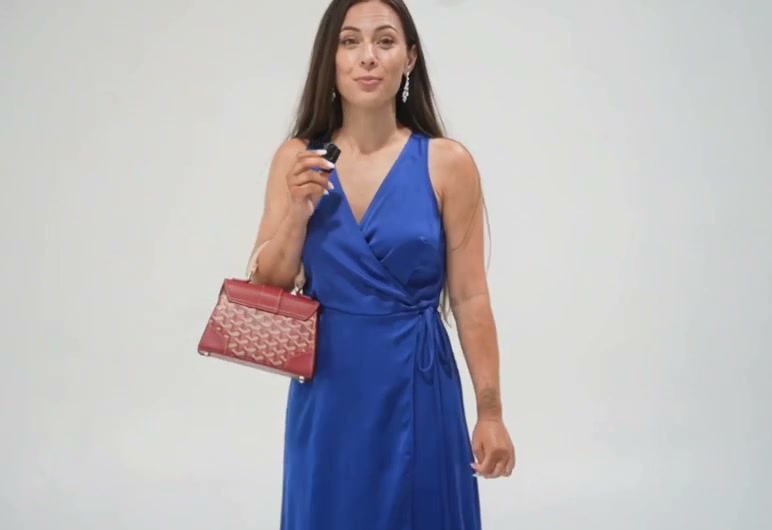
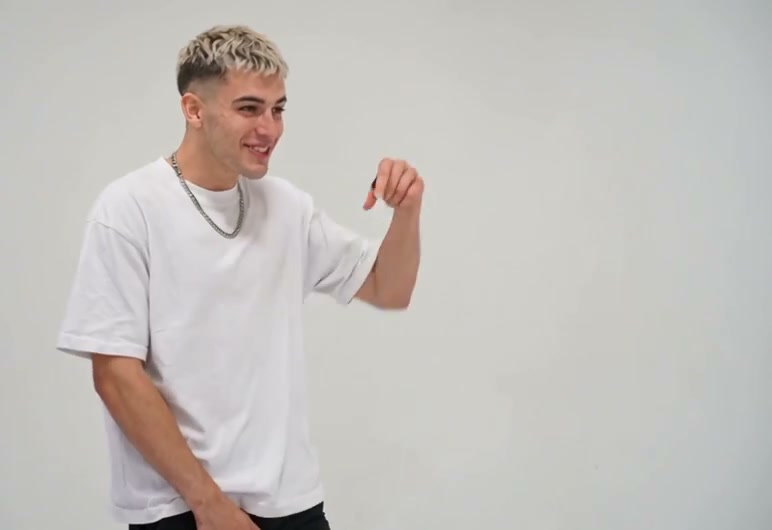
The Oh You Can Make It Cap trend is the AI video meme trend where people put themselves and someone else into the 2024 white-studio clip. In the clip, one person asks for a 360, says "Ooh, can you make it clap?" and breaks into a long, high laugh, while the other person spins and tells the camera "Oh, he tweaking". The 14 seconds play like a rally of lines between two people. People also call it can you make it clap, oh he tweakin and you tweaking. The spoken words in the clip are "can you make it clap", and "oh you can make it cap" is how the 2026 captions spelled them.

The original clip comes from a dating show filmed in a white studio, with one person in each shot. It delivers the lines "let me see you do a 360", "Ooh, can you make it clap?", "Oh, he tweaking", "I'm tweaking, how?" and "You tweaking", along with the laugh the comments call the dolphin laugh. The clip went up as a YouTube Short on July 8, 2024. In July 2024, reposts on TikTok passed 7 million plays, including one with 7.6 million plays.

The trend came back on October 21 and 22, 2026, when AI remakes appeared on TikTok with two new people in the white studio and the original sound. The videos spread fast: one remake from October 22 reached 3.6 million views and more than 380,000 shares by October 28. On October 24 alone, creators posted more than 70 remakes with the sound. People pair up friends, rivals, couples, pets and characters, and viewers ask in the comments whether the remakes are real.

TryViralAI puts the 2024 white-studio clip, its 9 shots, its cuts and its original sound into our Oh You Can Make It Cap AI template. Photo 1 is the laugher, and photo 2 is the spinner, or a spinner made to match. You get a 14-second landscape video in the original clip's frame, ready for TikTok and Reels in 720p or 480p. One 720p video costs $9.90 with guest checkout, and everything runs in your web browser with no app.

What Makes Our Oh You Can Make It Cap AI Template Stand Out

Get the Whole Nine-Shot Rally Built In

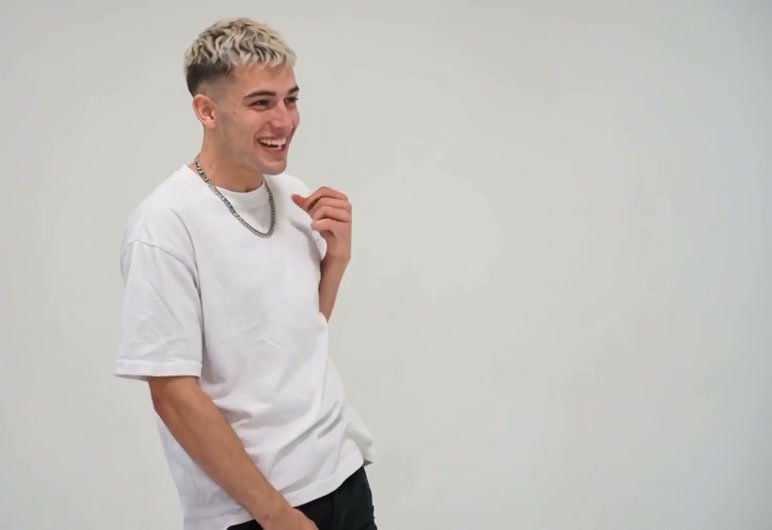
Our Oh You Can Make It Cap AI template runs the 2024 white-studio clip across its nine shots in order, with one person per shot and the original sound from the first second. You have no clip to find, no lines to learn, no sound to add, and no editing to do.

Get the Whole Nine-Shot Rally Built In
Start the Scene as the Laugher

Start the Scene as the Laugher

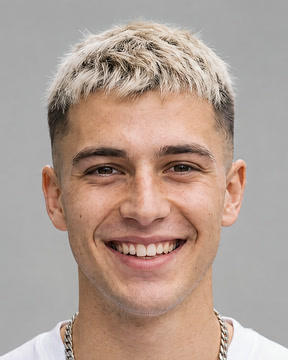
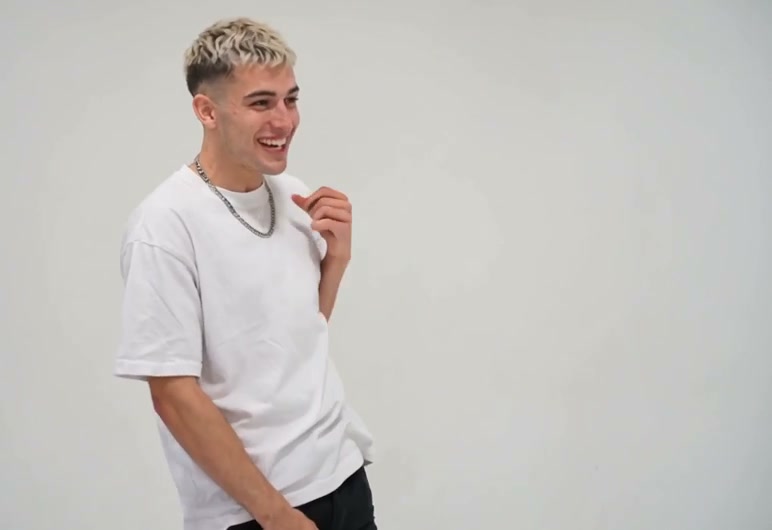
Your first photo puts you in five of the nine shots to ask for the 360, say "Ooh, can you make it clap?", and laugh with a hand at your mouth. Our Oh You Can Make It Cap remake keeps your own face, hair, and clothes while you rub your chin and give the last reply.

Fire Back with the Spinner

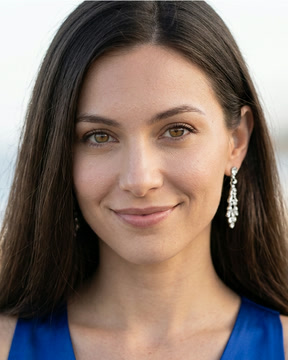
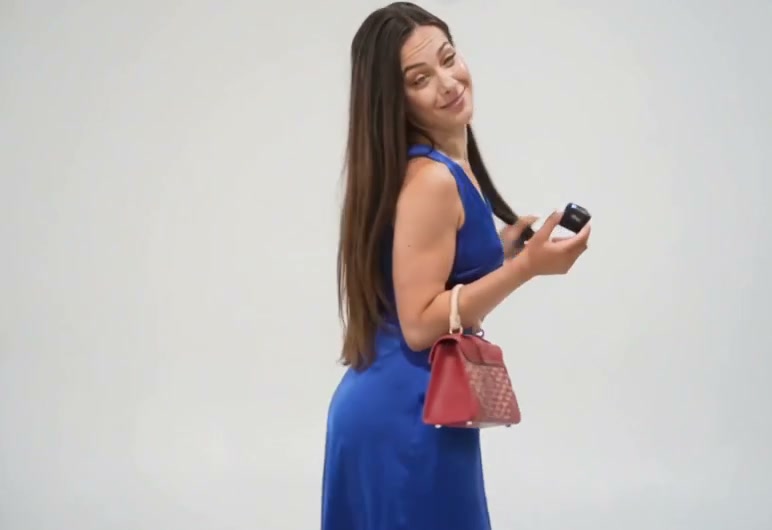
Your second photo takes four shots for the hair flip, the 360, the smile, and "Oh, he tweaking" straight to the camera. Our Oh You Can Make It Cap AI template creates a matching spinner if you upload one photo, and two photos cost the same as one.

Fire Back with the Spinner
Pair Any Two Faces You Like

Pair Any Two Faces You Like

Cast any person 18 or older, a pet like a dog or a cat, or a game character, and each keeps their own face, fur, and clothes. Our Oh You Can Make It Cap video gives you a photoreal 14-second landscape MP4 in 720p or 480p with no watermark on paid downloads.

Use Oh You Can Make It Cap for Any Pair

Best Friends

Put Your Friend on Blast

Bring two photos of adults aged 18 or older, with the laugher first, to place your friend in the spinner spot. You get "Oh, he tweaking" landing right on their face, ready to drop straight into the group chat.

Couples

Trade Lines with Your Partner

Bring one photo of each person and choose who laughs and who spins by the photo order. You get 14 seconds where each of you has your own shots and your own lines.

Pet Pairs

Let Your Pets Trade Lines

Bring a photo of your dog and cat, or two pets of your own, to play the bit. You get one pet asking for the 360 and laughing in the white studio while the other spins and fires back.

Solo Posters

Hop on the Viral Trend

Bring one selfie to make your own Oh You Can Make It Cap video while the trend is everywhere. You get the laugher part with a spinner made to match, ready for TikTok and Reels.

How to Make Your Oh You Can Make It Cap Video

Step 1

Upload Your Photos

Add photo 1 for the laugher, add photo 2 for the spinner if you like, and tick the box.

Step 2

Choose Your Quality

Choose 720p or 480p, and the Create button shows the price before you pay.

Step 3

Get Your Video

Press Create, pay as a guest, and download your 14-second landscape MP4 with the original sound.

Make Your Oh You Can Make It Cap Remake for $9.90

One 14-second remake in 720p uses 500 credits from the $9.90 pack, a 480p video uses 353 credits (about $6.99), and a second photo adds nothing to the price. You pay as a guest with no sign-up, the price shows on the Create button before you pay, failed renders return your credits on their own, and every pack and plan is on the TryViralAI pricing page.

Oh You Can Make It Cap FAQ

Can my best friend be in the Oh You Can Make It Cap video with me?

Yes. Put yourself in photo 1 as the laugher, who asks for the 360, says "Ooh, can you make it clap?" and laughs. Put your best friend in photo 2 as the spinner, who spins and tells the camera "Oh, he tweaking". Each of you keeps your own face, hair and clothes. Both of you are 18 or older.

Why does the trend say "cap" when the clip says "clap"?

The words spoken in the clip are "Ooh, can you make it clap?". Remake captions from 2026 spelled the line as "oh you can make it cap", and that spelling became the trend's name. People also search for can you make it clap and oh he tweakin. Every remake you make here plays the original sound, so the line sounds the way it was said.

Where does the Oh You Can Make It Cap clip come from?

It comes from a 2024 clip of a dating show filmed in a white studio, with one person per shot. A YouTube Short of the clip went up on July 8, 2024, and TikTok reposts passed 7 million plays in July 2024, with one reaching 7.6 million. The laugh got a nickname in the comments: the dolphin laugh.

How did the Oh You Can Make It Cap trend take off?

AI remakes of the clip showed up on TikTok on October 21 and 22, 2026, putting two new people in the white studio with the original sound. One remake posted on October 22 had 3.6 million views and more than 380,000 shares by October 28. On October 24 alone, more than 70 remakes went up. Our Oh You Can Make It Cap AI template has the clip and the sound inside it.

How much is one Oh You Can Make It Cap AI video?

One 720p video costs $9.90, using 500 credits from the $9.90 pack. A 480p video uses 353 credits, which is about $6.99 worth. Two photos cost the same as one. Credit packs range from 500 credits for $9.90 up to 4,400 credits for $69.90, with packs of 1,100 and 2,400 in between, and monthly plans run from $29.90 to $99.90. Credits from a pack stay usable for 365 days. The price shows on the Create button before you pay, you pay as a guest, and credits return on their own if a render fails. Every pack and plan is on the TryViralAI pricing page.

What happens in each of the nine shots?

Nine shots play with one person in each shot. First, the laugher asks "let me see you do a 360". Next, the spinner flips their hair and turns while the laugher says "Ooh, can you make it clap?". The laugher breaks into the laugh, and the spinner smiles. The laugher rubs their chin and says "Let me see", and the spinner looks straight at the camera to say "Oh, he tweaking". The laugher replies "I'm tweaking, how?", the spinner says "You tweaking", and the laugher answers back. The original sound runs from the first second.

Which photo says "Oh, he tweaking"?

Photo 2 says that line. That photo becomes the spinner, who appears in 4 of the 9 shots: the hair flip and the 360, the smile, "Oh, he tweaking" to the camera, and "You tweaking". Photo 1 becomes the laugher across 5 shots, with the 360 request, the line, the laugh, the chin rub, and "I'm tweaking, how?". Swap your photos to swap who plays which part.

Do I need two photos?

No. Upload one photo and you become the laugher, while our template makes a spinner to match you. Add a second photo to choose who spins. Every remake keeps both parts, and two photos cost the same as one.

Can my dog, my cat or a cartoon character play a part?

Yes. You can use one person 18 or older, a pet such as a dog or a cat, or a cartoon, anime or game character per photo. Your pet or character can take either spot as the laugher or the spinner and keeps its own look.

Will it look like us?

Yes. Each person, pet or character keeps the face, hair or fur, and clothes from their own photo. A photo of a real person stays photoreal. The timing, moves and reactions match the original clip shot for shot. Pick a photo showing one person, pet or character with a clear face, looking at the camera in good light.

Is the Oh You Can Make It Cap remake AI or real?

Every video made here is an AI video. AI plays the white-studio clip again shot by shot using the people from your photos, with the original sound: the 360 request, "Ooh, can you make it clap?", the laugh, "Oh, he tweaking", "I'm tweaking, how?" and "You tweaking". You write no text prompt; simply add your photos and press Create.

Can I pay without making an account?

Yes. Press Create and pay as a guest, and your video starts rendering right on the page. The link in your receipt email moves the video and the credits into an account you open with Google sign-in, so it plays on any device.

What do I download, and does it work on TikTok and Reels?

You download a 14-second MP4 file in 720p or 480p, framed in landscape just like the original clip. It includes the original sound, carries no watermark on paid downloads, and is ready for TikTok and Reels. It runs in your web browser on a phone, tablet or computer with nothing to install.

Which TryViralAI templates go with Oh You Can Make It Cap?

Use Smalltown Boy AI to turn one or two photos into a 14-second duet at a red fence where you wail up close and swap on the cut to the "Smalltown Boy" song. Make an 8-second basketball taunt with Middle Finger Dunk, featuring a crossover, a leg-split hang at the rim and a slam. Put yourself in the parking-lot skit with ChatGPT Millionaire Meme for a 13-second video with the skit's original voice. To see every option, check the TryViralAI trends page.

What happens to the photos I upload?

No facial recognition runs on your photos and no biometric data is collected. Personal information is never sold. Your photos and videos stay in your account, and TryViralAI deletes them whenever you ask.

Create Your Oh You Can Make It Cap Remake

Add your photos to trade lines in the white studio with a 14-second landscape video for TikTok and Reels, complete with the original sound in 720p for $9.90 with guest checkout.